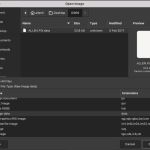
 Step 1: Rename the .PIX file so it has the extension .data. This is needed for GIMP to recognize it as a “raw” data file. Step 2: Open this image in GIMP by expanding “Select File Type” and choosing Raw image data. That should allow the .data file to show …
From: Retro Roundup